KALIFX LOCAL TRADE COPIER (MT4 & MT5)

Kalifx Local Trade Copier – Master & Slave Trade Copy System for MT4 and MT5
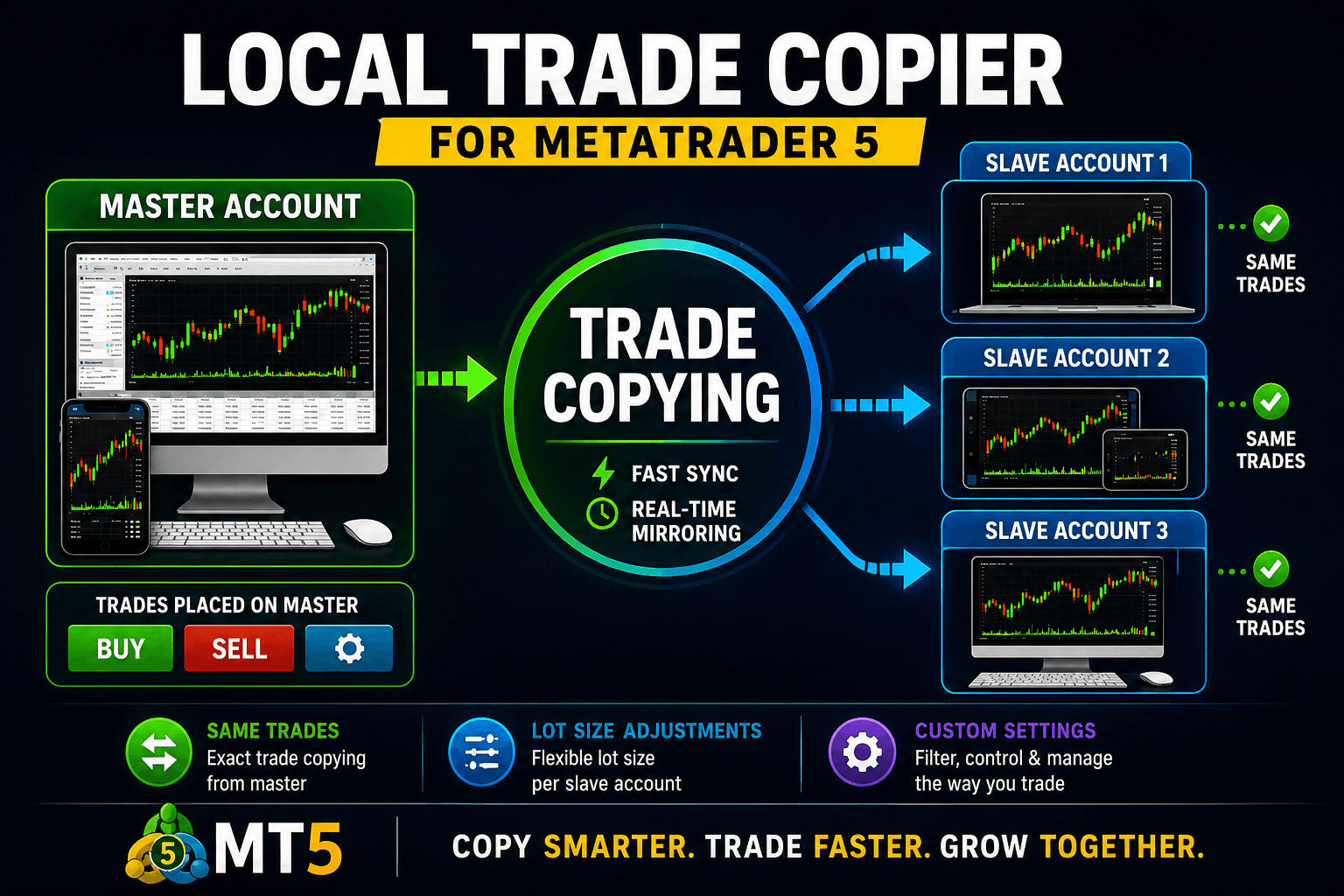
Kalifx Local Trade Copier is built to replicate trades from one trading account (Master) to another (Slave) in real time. It automates trade execution across multiple accounts by copying actions such as opening, modifying, and closing trades without manual intervention. Available for both MetaTrader 4 and MetaTrader 5, it can also copy trades across platforms — MT4 to MT5, MT5 to MT4, or same-platform to same-platform.
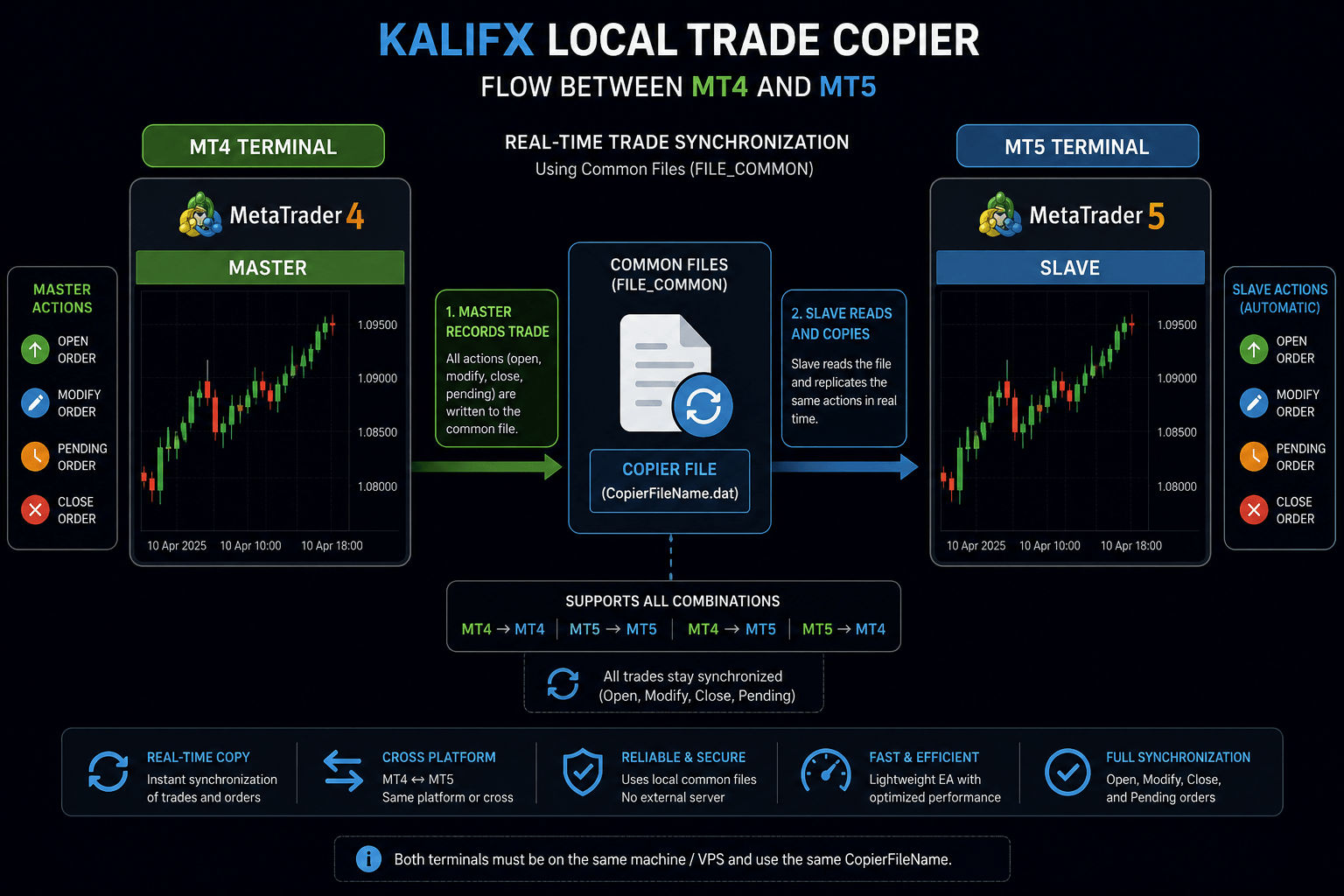
This EA uses the Common Files system (FILE_COMMON) to enable seamless communication between MT4 and MT5 terminals
running on the same machine or VPS.
How It Works
- MASTER: Monitors trading activity and records all positions and pending orders.
- SLAVE: Reads the data and duplicates trades automatically on another terminal — MT4 or MT5.
- Both terminals must use the same
CopierFileName. - Works in any combination: MT4→MT4, MT5→MT5, MT4→MT5, or MT5→MT4.
- All trades stay synchronized (open, modify, close).
Key Features
- Available as both MT4 and MT5 versions.
- Single EA supports both MASTER and SLAVE modes.
- Copies trades across platforms as well as within the same platform (MT4↔MT5).
- Copies positions and pending orders.
- Flexible pending order handling modes.
- Trade inversion (BUY ↔ SELL).
- Symbol mapping and excluded symbols.
- Multiple lot sizing options (fixed, multiplier, risk-based).
- Trade duplication (copy one trade multiple times).
- Daily risk controls (max trades and drawdown limits).
- Spread filter for safer entries.
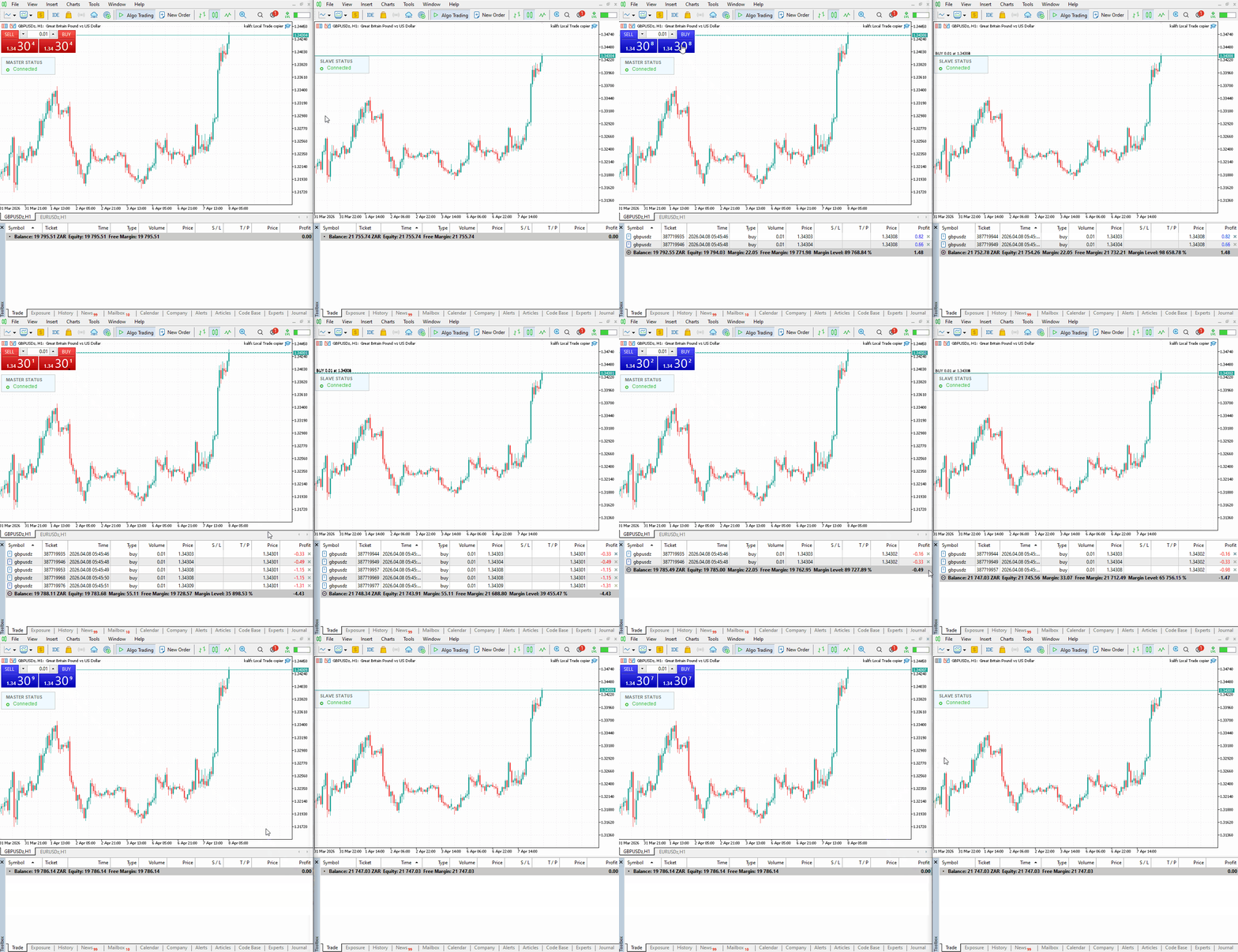
- Compact status panel showing connection status (displays Connected when Master and Slave are linked).
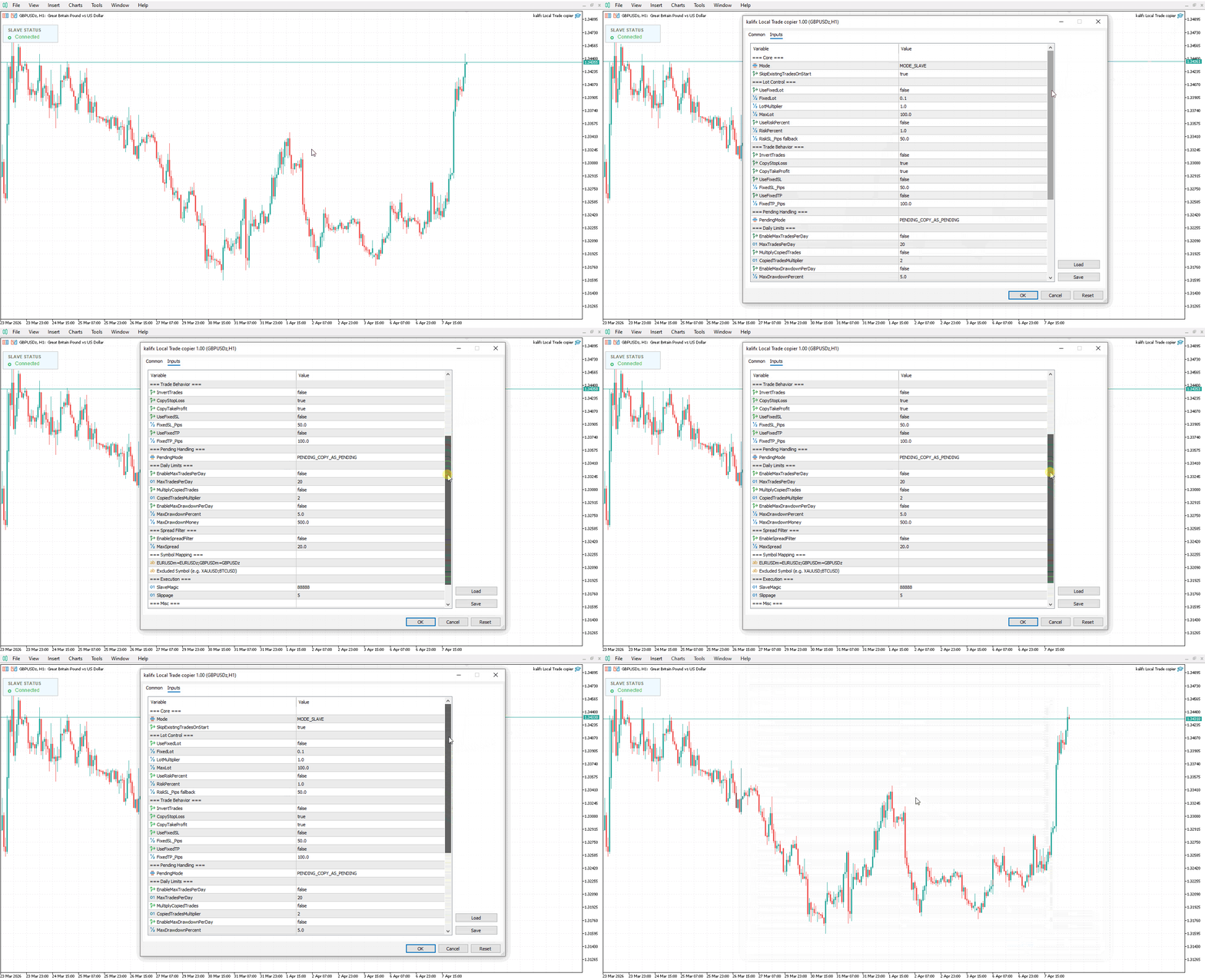
⚙️ Core Settings
- Mode: Select
MODE_MASTERorMODE_SLAVE. - SkipExistingTradesOnStart: Ignore already open trades when starting the slave.
Lot Control
- UseFixedLot: Use a fixed lot size.
- FixedLot: Defined lot value.
- LotMultiplier: Multiply master lot size.
- UseRiskPercent: Risk-based lot calculation.
- RiskPercent: % of account risk per trade.
- MaxLot: Maximum allowed lot size.
Trade Behavior
- InvertTrades: Reverse trade direction.
- CopyStopLoss / CopyTakeProfit: Copy SL/TP from master.
- UseFixedSL / UseFixedTP: Override SL/TP with fixed values.
Pending Handling
- PENDING_COPY_AS_PENDING: Copy pending orders directly.
- PENDING_EXECUTE_MARKET: Wait for master pending trigger, then copy as market trade.
🛡 Risk Management (Slave)
- MaxTradesPerDay: Limit trades per day.
- MaxDrawdownPercent / Money: Stop trading after loss threshold.
- MultiplyCopiedTrades: Duplicate trades multiple times.
- CopiedTradesMultiplier: Number of copies per trade.
Spread Filter
- EnableSpreadFilter: Activate spread check.
- MaxSpread: Maximum allowed spread.
Symbol Mapping
-
SymbolMap: Map master symbols to slave symbols.
Example:EURUSDm=EURUSD;XAUUSDm=XAUUSD - ExcludedSymbols: Skip specific symbols.
Execution Settings
- SlaveMagic: Magic number for trades.
- Slippage: Allowed execution deviation.
Trade Comments
Add custom text labels to copied trades for easy identification and tracking.
Interface
- ShowStatusPanel: Enable or disable on-chart status panel.
- Status panel displays real-time connection state between Master and Slave.
⚠️ Important Notes
- Designed for MT4 and MT5 terminals on the same machine or VPS, including mixed MT4/MT5 setups.
- Broker specifications may differ — always test on demo first.
- Copy speed depends on ticks, timer, and terminal performance.
Recommended Setup
- Start on demo accounts.
- Use low risk (0.5% – 1%).
- Enable daily limits and drawdown protection.
- Verify symbol mapping before going live.
⚠️ Disclaimer
This software does not guarantee profits and may produce losses. Use at your own risk. Always test thoroughly before live trading.
Need help setting up or customizing your copier? Contact us for assistance or advanced configurations.